How to change your account email address

How to change your account email address
Hey Bloomers! In this guide we will be going over how to change your account email address in our Billing and Minecraft panel.
How to change your Billing Portal email address
The billing system we use requires you to change your email address in two sections, the account details section and the profile section. You may face sign-in or notification issues if you change your email address in only one of these sections, so make sure you change the email in both of them.
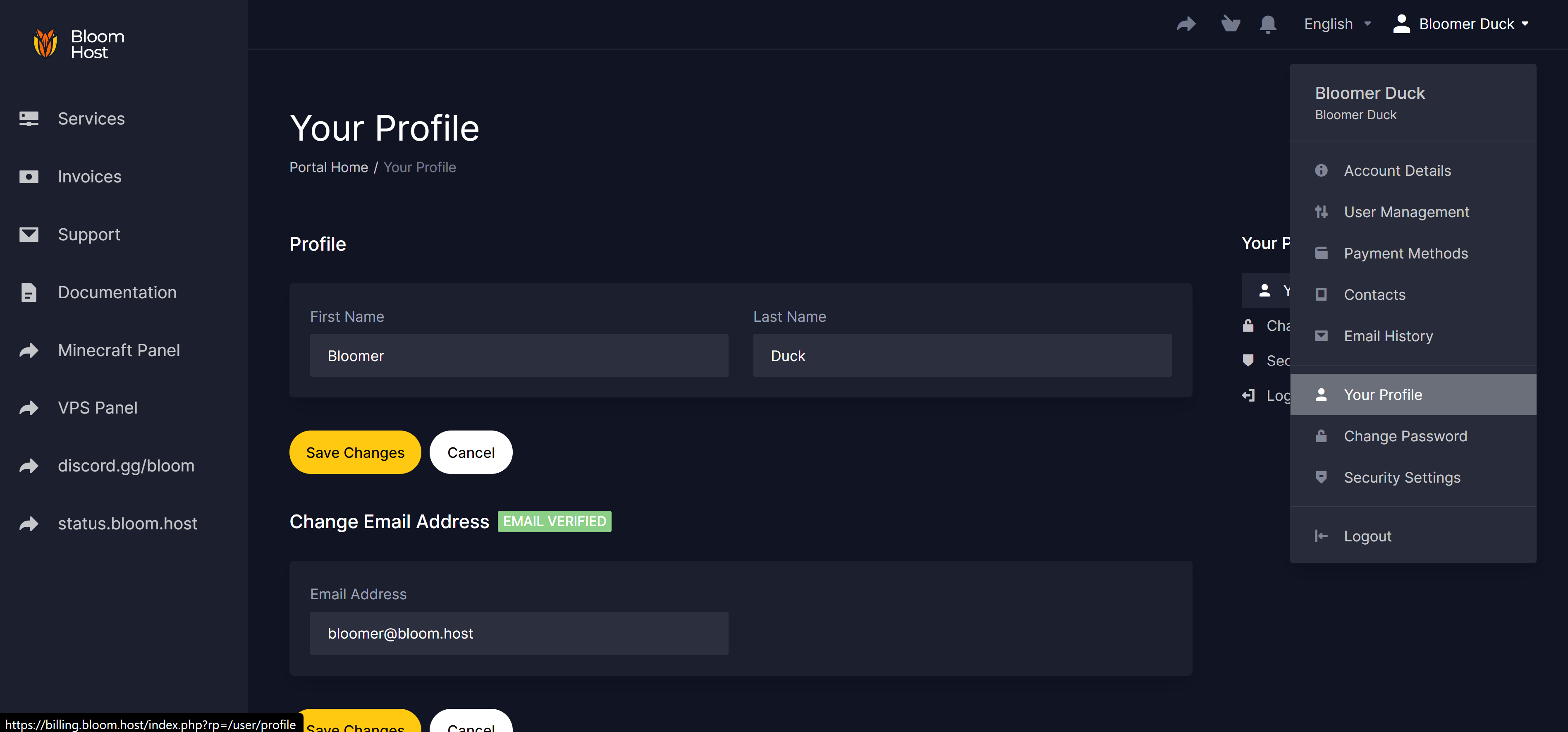
The email used to log in to your billing account is the one defined in the "Profile" section.
The first step is to change your email address on the Profile section, sign in with your billing credentials and put the new email on the Email Address field then click on save.
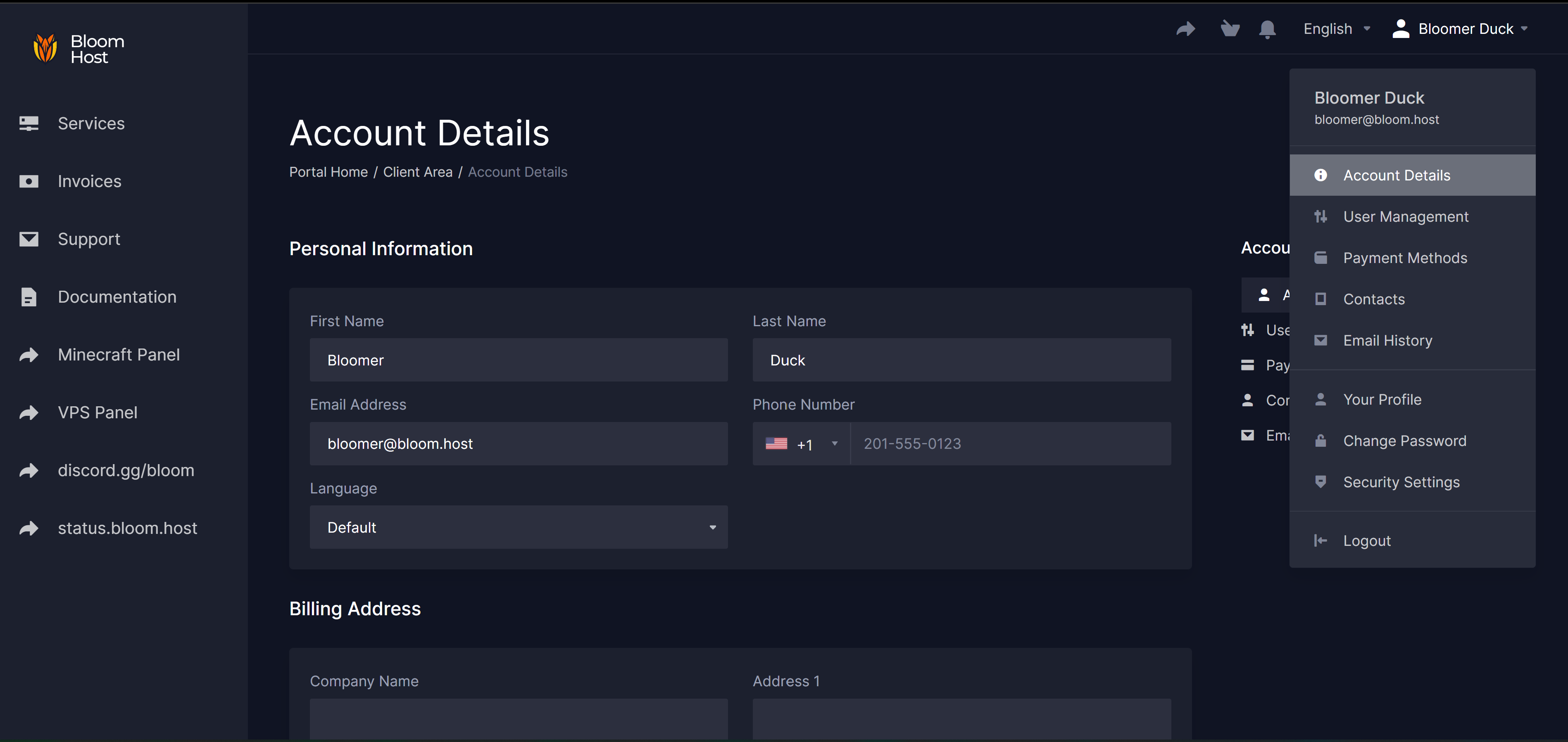
Finally you can modify your billing information by going to the Account Details section, sign in with your billing credentials and put the new email on the Email Address field then click on save.
How to change your Minecraft Panel Email Address
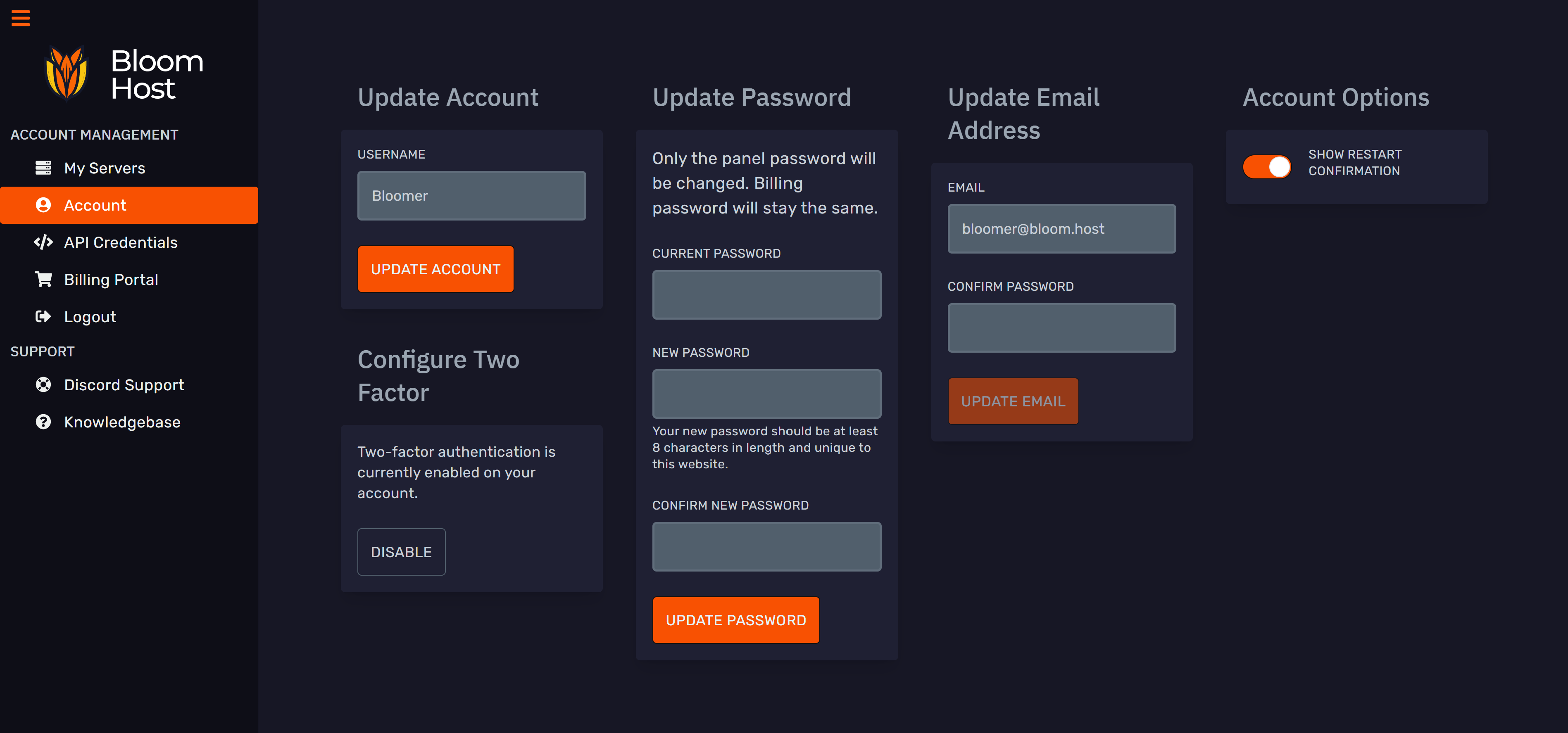
To change the email account used for our Minecraft Panel (DuckPanel) go to the Account section of the panel, sign in to your Minecraft Panel account and change the email address on the Email Address field then click on update email address.